Vet and bulk-remove connections in one pass. Runs on your Mac, uses your existing Chrome session, and never asks for your LinkedIn password.
macOS 13+ · Apple Silicon (M1+) · ~80 MB · 30-day refund, no subscription
Export your connections from LinkedIn, vet what should go, and the app handles the rest — slowly, visibly, and only on the rows you approve.
LinkedIn → Settings → Get a copy of your data → Connections.
LinkedIn emails you a Connections.csv in about 10 minutes.
Filter by title, company, or connection age. Or paste an AI verdict from your existing Claude or ChatGPT chat.
Review every row before anything happens.
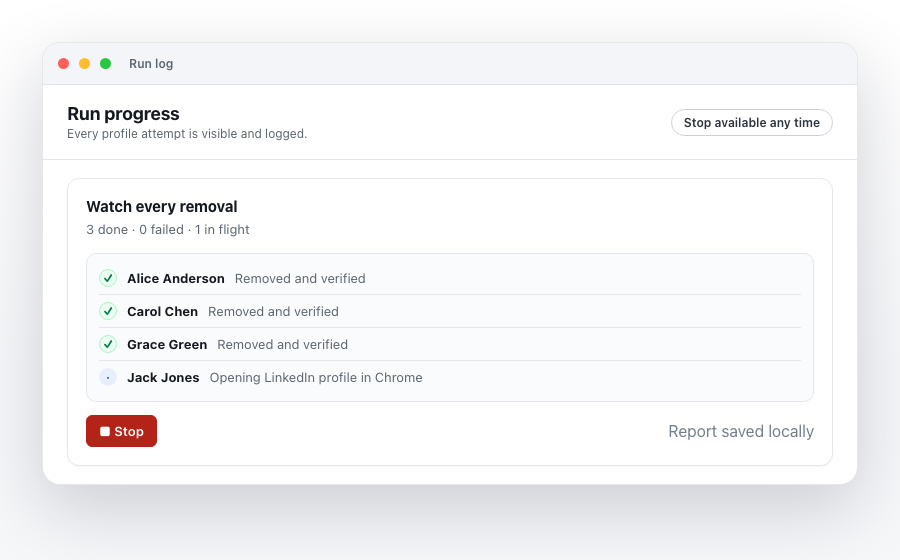
The app opens profiles in Chrome and clicks "Remove connection" for you, one at a time, with conservative rate limits.
You watch it happen and can stop any time.
Automating LinkedIn isn't risk-free. The app is designed to be cautious by default — and to refuse to act when something looks off.
~/Documents/LinkedIn Cleanup/ for your records.Try it free. If it's useful, pay once.
Pay once. No subscription. 30-day refund.
I built this because I had ~3,000 LinkedIn connections I'd accumulated over a decade — investors, recruiters, "let's connect" cold opens — and no good way to triage them. LinkedIn doesn't make this easy on purpose; the tooling here is the bare minimum I wished existed.
It's a small one-person product. If you hit a bug or have a feature request, email me directly and I'll usually reply the same day.
— Aggy
This early version isn't yet signed by Apple, so macOS Gatekeeper warns the first time you open it. To get past the warning:
LinkedIn-Cleanup-latest-universal.dmg and open it./Applications folder.If macOS still refuses to open it, run this in Terminal once:
xattr -dr com.apple.quarantine "/Applications/LinkedIn Cleanup.app"
A properly Apple-signed build is on the way; existing installs will update to it automatically.
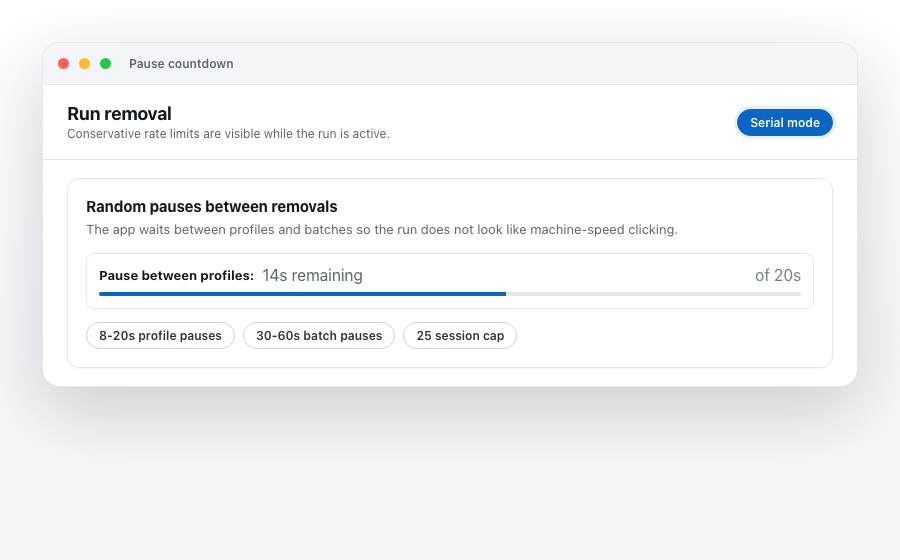
Bulk activity at machine speed can absolutely trigger LinkedIn's anti-automation systems. The app is designed to look like a moderately busy human: randomized 8–20 second delays between profiles, 30–60 second pauses between batches, and a hard 25-per-session default cap. You can also lower these limits and stop the run any time.
There is no way to make this risk zero. If you're worried about your account specifically, start with a small batch and see how it feels.
Before every run, the app opens one approved candidate and verifies that the "More" menu and "Remove connection" item are exactly where it expects. If anything looks off, it aborts the entire run with a specific error — it never guesses.
When LinkedIn does change something meaningful, I push an update.
No. LinkedIn doesn't expose a "re-add" API, and re-sending an invite to someone you just removed often looks worse than the bulk removal itself. That's why the app insists on multiple confirmation gates and a vetting step — to make undo unnecessary.
Not yet. v1 is macOS-only because the automation runs through Apple Events to Google Chrome. A Windows version is on the roadmap if there's enough demand.
No. Your Connections.csv stays on your Mac. The app does not phone home, send telemetry, or upload anything. The only network call is to the license server when you activate, and that exchange contains only your license key.
The license server stores exactly four fields per customer: license key, email, status, and timestamps. See the Privacy page for the full data inventory.
From your LinkedIn account: Settings & Privacy → Data Privacy → Get a copy of your data → "Want something in particular?" → check Connections → Request archive. LinkedIn emails you a download link, usually within 10 minutes.
The first 3 lines of the CSV are a "Notes:" preamble — the app strips them automatically.
30-day refund, no questions. Email me within 30 days of purchase and I'll process it through Lemon Squeezy.
No. This is an independent third-party tool built by one person. LinkedIn is a trademark of LinkedIn Corporation; "LinkedIn Cleanup" is a descriptive name for what the app does.